
.png)
Switching a Customer Relationship Management (CRM) system looks simple on the surface. But, as a business, you are not just copying data from one place to another. You are moving the system that holds your customer relationships and your sales process, and swapping out a good chunk of your team's daily routine.
Businesses migrate for good reasons, such as outgrowing their platforms and having integration issues. A successful CRM migration gives you cleaner data and smoother automation. Most of all, you end up with a tool your team wants to use. However, done carelessly, migration carries old problems into a new home and erodes trust in the data your business runs on.
Day by Day takes a look at how to decide whether to switch CRM, drawing on six years of helping teams streamline their operations — and how to keep your new system healthy after launch.
Key Points on CRM Migration
- CRM migration is the process of moving your contacts, deals, history, and workflows from one customer relationship management platform to another.
- Success depends on preparation and adoption, rather than the technology.
- You need to clean your data before migration and test it on a small sample first to catch mapping issues early.
- Validation and stakeholder sign-off protect you from discovering problems weeks later, after the data has gone stale.
When Should You Switch CRMs?
If you notice a few common pressures building up in your current system, it’s usually a sign that you need to switch CRMs.
- You may have outgrown your current platform, leaving you to rely on workarounds and spreadsheets to fill the gaps.
- Integrations might be limited, forcing you to man**lly copy between apps that should talk automatically. Reporting and automation may be too weak to give you a clear view of your pipeline or to eliminate repetitive work.
- Cost is another driver: licensing fees climb as you add users until the price no longer matches the value. And when a system built for a three-person team buckles under ten, you realize it’s simply not scalable.
- Sometimes the trigger is external, like a merger or a period of fast growth that leaves you with two systems where you need one.
These points are important because more than 60% of B2B companies plan to switch or upgrade their CRM by the end of this year, yet over half of those moves will get delayed or derailed by poor planning. As I’ve seen while advising businesses across over 20 industries on their CRMs at Day by Day, knowing your real reason for switching will keep the project anchored to an outcome.
Signs Your CRM Is Holding the Business Back
You can usually spot your CRM problem in how you use the system.
- People start relying on spreadsheets because they don’t trust the data in the CRM.
- Reports take too long to build because they have to be built man**lly rather than being available instantly.
- New hires struggle to learn the system, and basic tasks feel complicated.
- Over time, key information gets missed or duplicated, and visibility breaks down.
- The CRM clearly creates more effort than clarity
What Are the Benefits of Switching CRM Systems?
A CRM switch improves data quality, streamlines workflows, and makes reporting and integrations more reliable across the business.
- Your data is cleaner and more reliable because migration forces you to fix and tidy existing records.
- Your automations match your process and reduce weekly man**l work.
- Reporting becomes quick and easy to read.
- Integrations connect your tools so data flows automatically.
- Your team trusts the data and finally uses the system.
Here’s a simple way to decide whether to stay or switch: list what your current CRM costs you in licensing, lost time, and missed insight, then weigh that against the effort of moving. If the ongoing cost of staying outweighs the one-time cost of switching, the decision is simple.
.png)
How to Build a CRM Migration Strategy
The biggest predictor of a smooth CRM move is the quality of your planning. A sample CRM migration project plan typically includes the following steps:
- Start by setting clear migration goals. "Move to a new CRM" is not a goal. Give the sales team a single source of truth with accurate pipeline reporting and automated follow-ups. Concrete goals tell you what good looks like at the end.
- Next, identify your stakeholders and project owners. Name the person responsible for the migration overall, and bring in the people who use the CRM daily: sales, marketing, customer service, operations. They know where the data lives and where the workflows break.
- Then define your scope. Decide what is in and what is out. Are you migrating five years of history or two? Every contact or only active ones? This keeps the project tidy.
- With scope set, establish timelines and milestones. Build a CRM migration project plan that breaks the work into phases with dates: planning, data cleanup, configuration, pilot, full migration, validation, and training. Most small and mid-size migrations run somewhere between 4 and 16 weeks, depending on data volume and complexity.
- Finally, do a risk assessment and contingency planning. What happens if the data does not map cleanly? What is your rollback plan if something breaks on go-live day? Planning for trouble in advance keeps a hiccup from becoming a crisis.
As you move from planning to selecting a platform, this is often where sales pipeline consulting can help you turn your business needs into a setup that fits your business.
CRM Migration Checklist
A good checklist will help you break down your action steps. You’ll want to stay clear on each phase and avoid assuming anything has been covered.
- Audit and clean your data before migration begins
- Map fields between the old and new CRM
- Back up all source data
- Run a pilot migration on a small dataset
- Execute the full migration
- Validate data accuracy and system performance
- Train users and support adoption after launch
How to Assess Your Current CRM Before Migrating
Before you move anything, you need to know exactly what you have. This audit will help drive all subsequent decisions.
Work through each part of your current system: the data itself, your custom fields, your workflows and automations, your integrations with other tools, your user permissions, and your reports and dashboards. Document how each one is set up and whether it still serves a purpose.
This is also the moment to confirm you are moving to the right platform. Picking the wrong CRM can force you to redo the entire migration later. The audit often reveals requirements you did not know you had, such as custom fields or other customizations that power your reporting, and those requirements should shape your choice.
Choosing the right platform is possibly the hardest part of the migration process, which is why many teams turn to CRM consulting. After working with many happy clients, I’ve already done the testing and groundwork across different systems. I can help you choose the right CRM fit and set it up properly from the start.
How to Prepare CRM Data for Migration
Most of the value and risks of migration live in preparation. Roughly 76% of CRM users say less than half of their data is accurate and complete, so assume yours needs work before it moves.
Audit and Clean Your CRM Data
Go through your records and fix the problems you would not want to inherit: Do you have duplicate records that split one customer into three? Outdated contacts who left their company years ago? Phone numbers and dates entered five different ways? Cleaning now is far cheaper than cleaning later, because migrating poor-quality data only replicates your existing problems inside the new CRM.
This is also where many teams discover their sales pipeline needs help. It’s often unclear or not built to reflect how they actually sell.
Decide Which Historical Data to Keep
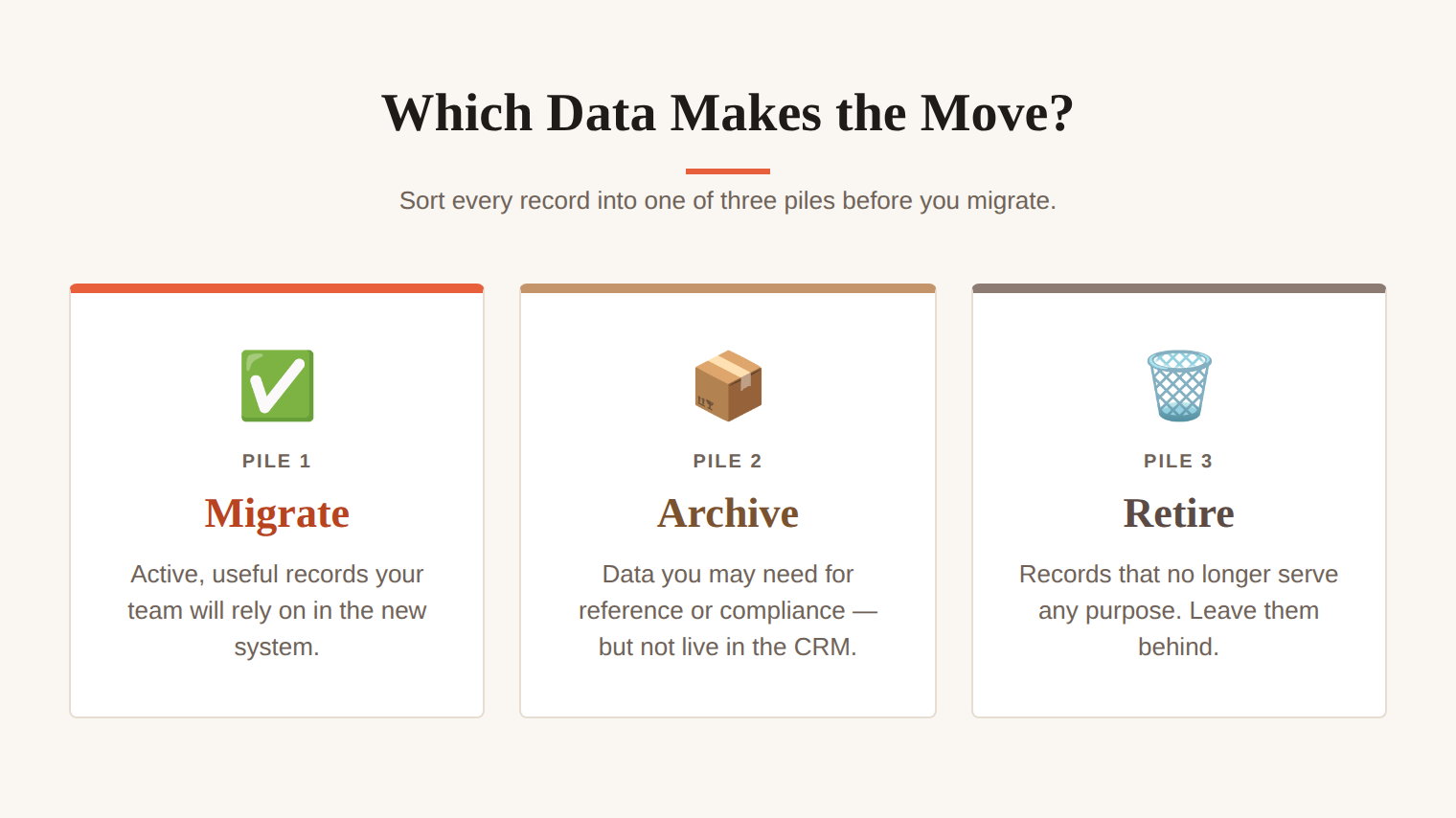
Not everything deserves a seat in the new CRM. Sort your data into three piles:
- To Migrate: The active and useful records your team will rely on.
- To Archive: The data you may need for reference or compliance, but don’t need live in the system.
- To Retire: The records that no longer serve any purpose.
A leaner migration is faster and safer, and almost always more cost-effective. It takes time and effort upfront, but that investment pays off later because you end up with a more reliable system that’s easier to use.
How to Migrate CRM Data Securely
In order to migrate data securely, you must limit data access controls so only the people running the migration can touch the data in transit. Your CRM holds sensitive customer information, so security should be part of the plan from the start. Use encryption for data both while it is stored and while it moves between systems. And keep compliance in view: US businesses handling customer data may have obligations under regulations like the CCPA, and industries such as healthcare and finance face even stricter rules. When in doubt, involve someone who knows the requirements that apply to you.
Step-By-Step CRM Data Migration Process
With clean data and a clear plan, the migration itself follows a predictable sequence.
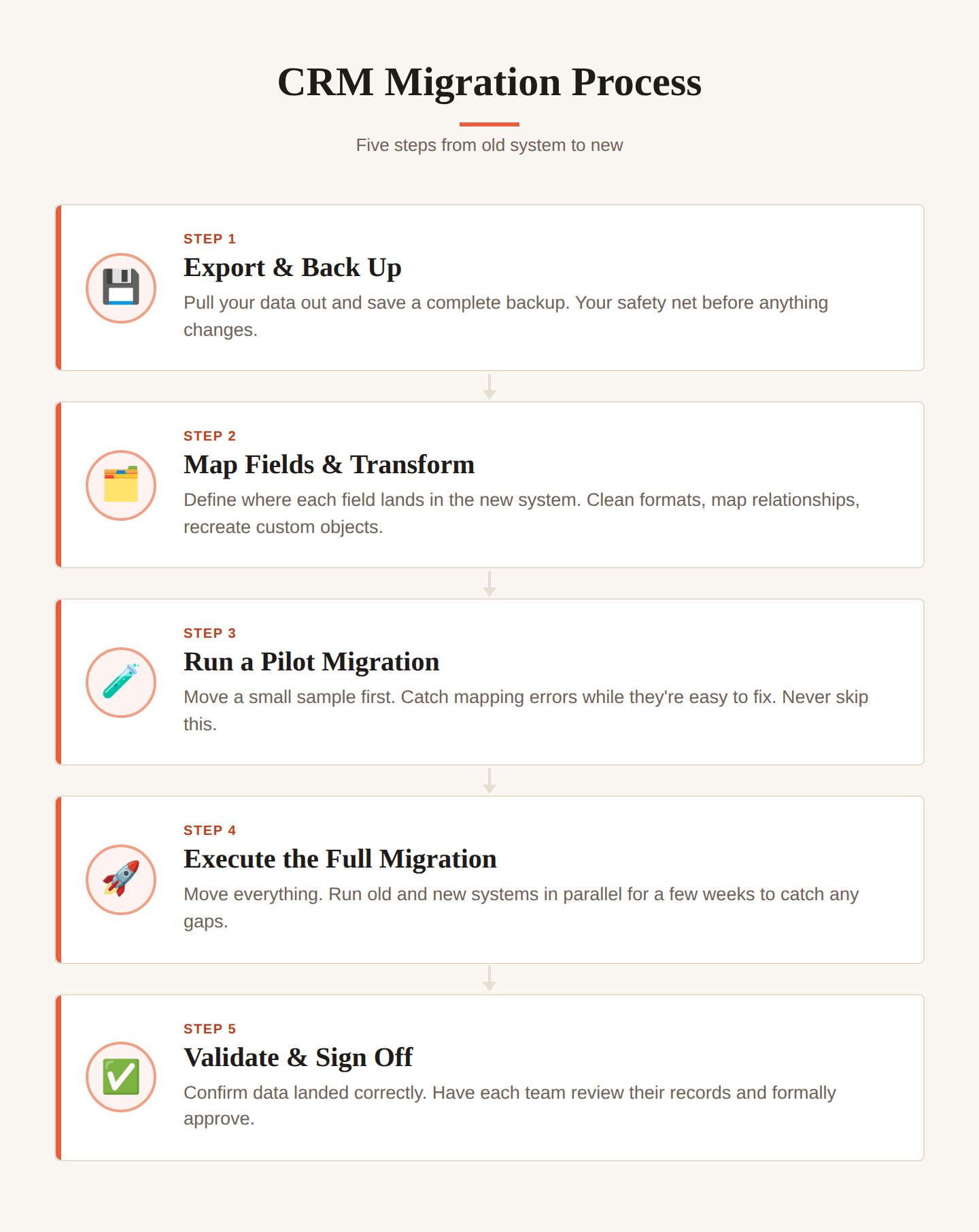
Step 1: Export and back up your source data
Pull your data out of the old CRM and make a complete backup before you change anything. This backup is your safety net. If something goes wrong, you can always return to a known-good starting point.
Step 2: Map fields and configure transformations
Field mapping tells the new system where each piece of data belongs; for example, “Company Name” in the old CRM becomes “Account” in the new one. If you've created custom fields, you'll need to recreate or map them correctly. Relationship mapping keeps your data connected, so a contact stays linked to their company and their deals. And data transformations clean up anything that doesn’t match the new system’s format, like converting dates or combining two fields into one. When this stage is done well, the rest of the migration goes much more smoothly.
Step 3: Run a pilot migration
Move a small, representative sample first. This is where mapping mistakes reveal themselves while they are still easy to fix. Never skip the pilot; it will ensure you have significantly fewer problems.
Step 4: Execute the full migration
With the pilot validated, move the rest. Many teams run the old and new systems in parallel for a couple of weeks to catch any discrepancies before they fully commit to the new platform.
Step 5: Validate data and obtain stakeholder sign-off
Confirm the data has landed correctly, then have the people who own each area review their records and approve them. Sign-off is really not a formality. It’s very necessary for your team to confirm that the new system is ready to be trusted.
CRM Migration Tools
Migration tools fall into a few categories, and the right one depends on your complexity. Native migration tools are built into many CRMs and handle straightforward moves between popular platforms well, such as using Salesforce’s Data Import Wizard for a simple HubSpot to Salesforce migration. Third-party migration tools such as Import2 offer more control over mapping and transformation, which helps when your data is complex or your platforms are less common. And man**l migration, using exports and imports by hand, can be the right call for very small datasets or for CRM moves so unusual that no tool fits.
Special CRM Migration Scenarios
Not every CRM migration follows a standard path. Here are two common scenarios that need special attention.
Custom CRM Migration
Moving from a custom or homegrown CRM brings its own challenges. Proprietary databases often store information in ways no migration tool can interpret, and a lot of the logic lives only in the heads of the people who built it. You’ll usually need extra time to map things by hand and rebuild workflows that were never documented. The upside is that you typically know exactly why each piece of data exists, which makes it much easier to decide what’s worth keeping.
Migrating to a Cloud CRM
CRM migration to cloud platforms, where the system is hosted by the vendor and accessed through a browser, is the most common path today. The benefits are substantial: you can work from anywhere, scale without buying hardware, get automatic updates, and plug into other cloud tools more easily. The trade‑offs to plan for are a proper security review of how the vendor protects your data and ensuring you have a reliable internet connection, since your CRM now lives online rather than on your own servers.
Popular CRM Migration Paths
Some migration routes are common enough that patterns have emerged.
HubSpot CRM migration is a common move for growing businesses leaving spreadsheets or lighter tools, and its import features are user-friendly for non‑technical teams. (And if you’ve been here a while, you know I’m not exactly a fan — but it is easy to move into.)
Salesforce CRM migration takes more setup because the system has more custom objects and automations to map. I’ll recommend it for large companies when it fits, but for most service providers, it’s complete overkill.
Dynamics CRM migration often ties into the broader Microsoft ecosystem, adding integration considerations. And if you’re already deep in that ecosystem… maybe, just maybe, it’s worth a look.
Many companies outgrow smaller CRMs like Copper or Pipedrive once they need deeper automation or more robust integrations. Zoho CRM is a common landing spot for teams that want more capability without jumping straight into enterprise territory.
Each platform has its quirks, but the core migration work stays the same. This also applies if you’re building your CRM on a data‑management tool like Notion or Airtable. These two are my personal favorites because they give you full flexibility, with the trade‑off that you’re building everything from scratch.
Common CRM Migration Pitfalls and How to Avoid Them
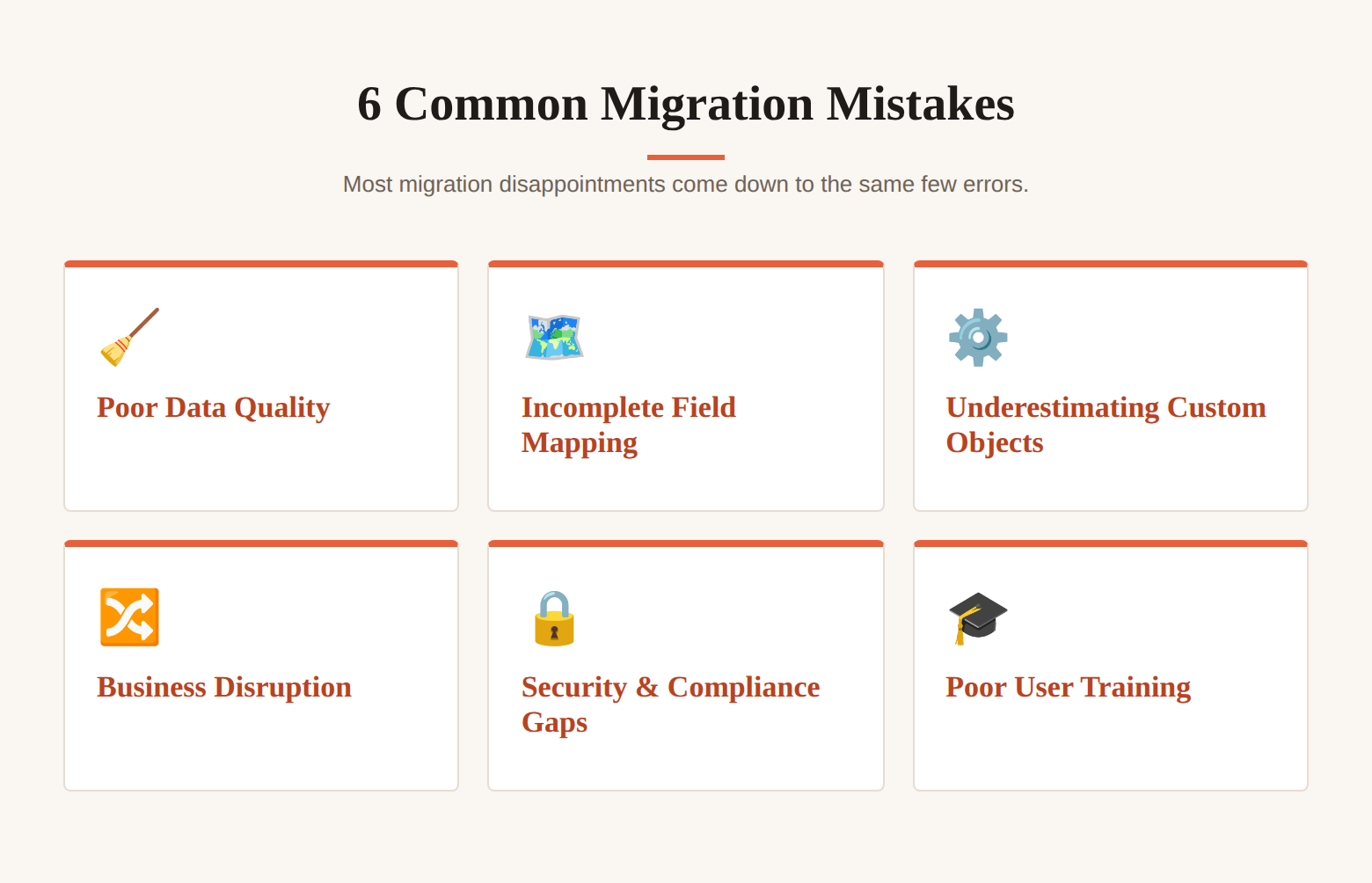
Just a few mistakes account for most migration disappointments. Poor data quality tops the list, so cleaning before you move is non-negotiable. Incomplete field mapping leaves data stranded or lost, so make sure to map carefully and verify with a pilot. Underestimating custom fields and automations turns a quick CRM software move into a long one, so catalogue them during your audit.
Business disruption can easily stall your team on go‑live day, which is why parallel operation and careful timing are so important. Security and compliance risks also creep in when data moves without the right controls, so build protection into the plan from the start rather than scrambling later. And the silent killer of most migrations is poor user training. Even the cleanest, most technically perfect move will fall flat if the team doesn’t know how to use the new system.
Post-Migration Best Practices
The migration is not finished when the data lands. The weeks after launch decide whether the new CRM becomes a habit or a headache.
Testing the Migration Before Go-Live
Confirm the move worked. Run data accuracy checks on a meaningful sample. Test that workflows and integrations fire as expected. Perform record count validation to confirm nothing went missing in transit. Then secure final stakeholder sign-off so everyone agrees the system is sound.
How to Prepare Team for CRM Migration
It’s important that you train your team properly rather than rely on a single rushed walkthrough. This is where the return on your migration is won or lost, because weak adoption sinks more CRM projects than any technical issues. Treat the rollout as a change‑management moment; people need time and support to adjust to a new way of working. Offer simple internal resources, such as quick guides and a go‑to person for questions. And keep an eye on adoption so you can spot the folks who are struggling and help them before frustration sets in.
Supporting Adoption After Go-Live
A clean CRM drifts back toward messiness without care. Build habits for data hygiene, set up duplicate-prevention measures to prevent the problem from recurring, and establish governance processes that define who can change what. Track success metrics against the goals you set at the start, so you can show the migration delivered what it promised.
Ready to Make the Move?
A CRM system migration only pays off if it actually works for your team, and that’s where most businesses get stuck.
Day by Day helps growing businesses plan and run CRM migrations that stay organized, stay on schedule, and keep your team confident from day one. If you want support, reach out today, and we’ll walk you through the migration process.
Frequently Asked Questions About CRM Migration
What is CRM migration?
CRM migration is the process of moving your customer data, sales history, custom fields, and workflows from one CRM platform to another. It covers everything from exporting and cleaning your data to mapping it into the new system, validating the results, and training your team to use it.
How do you know when to switch CRM vendors?
You may need to switch CRM vendors when your current system starts holding your team back. Signs include poor adoption, limited functionality, unreliable reporting, rising costs, or an increasing reliance on man**l workarounds and spreadsheets. If your CRM no longer supports your business goals, it is worth exploring other options.
Why does customer data become messy during CRM migration?
Messiness is usually inherited, as years of inconsistent data entry and outdated contacts accumulate in the old system. Migration surfaces it all at once, which is why cleaning your data before the move is the single most valuable step you can take.
What data should you not migrate to a new CRM?
When changing CRM, leave behind duplicates, contacts who are no longer relevant, and records that serve no current purpose. Data you might need for reference or compliance, but don’t need now, can be archived rather than migrated.
What is the impact of CRM migration on sales performance?
In the short term, a migration can cause a brief dip as the team adjusts, which is why training and parallel operation matter. Done well, the longer-term impact is positive: cleaner data, better automation, and clearer reporting give sales teams more time to sell and better information to sell with.
How long does a CRM migration take?
How long a CRM migration takes really depends on how much data you have and how complex it is. Smaller, straightforward migrations often finish in 4 to 6 weeks; mid-size moves typically take 10 to 16 weeks; and large enterprise migrations with heavy customization can take several months.
Do I need a CRM migration partner, or can I do it myself?
Simple migrations with clean data and a popular destination platform are very manageable for an in-house team using native tools. The more custom fields and historical data you have, the more a partner pays for itself by avoiding costly mistakes and freeing your team to keep running the business during the move.


.png)


